




Coming soon: IconChanger 2026 - custom icons for Windows
https://www.wieners-it.de/iconchanger/ WinCustomize Forums
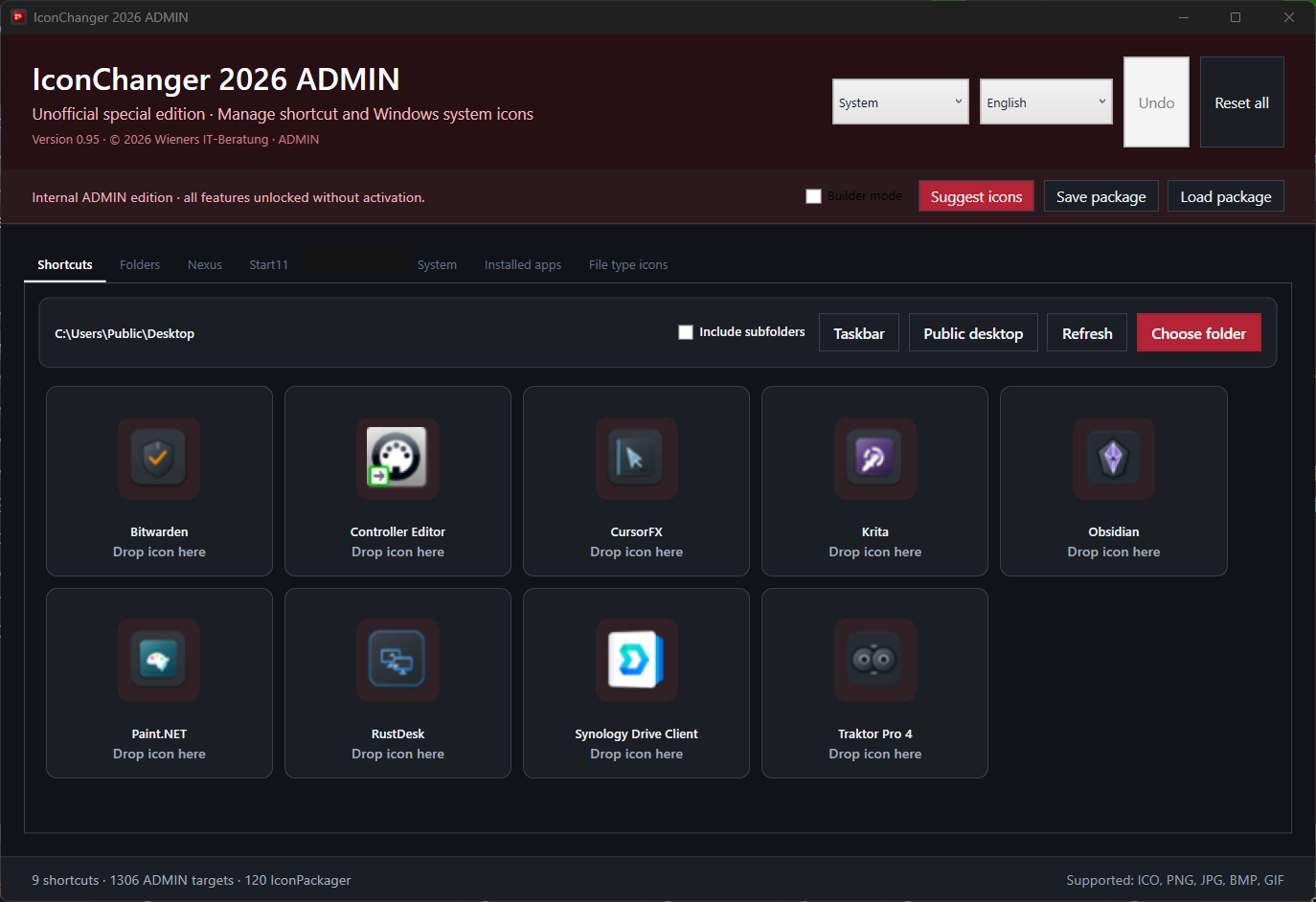
I would like to introduce my new app in construction 'IconChanger 2026'. The application is intended for anyone who likes customizing Windows with their own icons but does not want to edit every shortcut, file type, and system object separately in different places.
The basic workflow is straightforward: open a folder or category, drag a suitable image from Explorer onto the intended entry, and save the change. ICO, PNG, JPG, BMP, and GIF files are supported. IconChanger converts the image to the required format when necessary.
When a list is loaded, the application displays the icons currently in use instead of showing only the Windows defaults. Depending on the edition, this includes shortcuts, folders, drives, system objects, installed applications, and file types. Classic taskbar shortcuts can also be included.
A builder mode is available for assembling custom icon sets. In this mode, selected icons are assigned only to a separate package draft. Windows, shortcuts, the Registry, Start11, and Nexus remain unchanged. The completed draft can then be saved as a signed .icpackage.zip package.
Packages are bound to their respective edition:
- Light loads Light packages
- Pro loads Light and Pro packages
- Ultra loads Light, Pro, and Ultra packages
Packages from a higher edition and subsequently modified manifest files are rejected.
Other functions include:
- editing shortcuts in any selected folder
- optional recursive scanning of subfolders
- personal and Public Desktop support
- support for OneDrive folders and protected public folders
- displaying current icon assignments at startup
- undoing the latest individual icon change
- resetting individual or all managed assignments
- German and English interface
- System, Light, and Dark themes
- standard installation or portable use, including USB drives
The editions provide different feature sets:
Light is the free edition for shortcuts and costs 0 EUR.
Pro adds Windows system icons, installed applications, file-type icons, and drive icons.
Ultra includes the Pro feature set and adds direct-subfolder editing, Winstep Nexus/WorkShelf, Stardock Start11, import preview, automatic backups, and extended package functions.
The installers include the required .NET Desktop Runtime, so no separate runtime installation is needed. Changes to protected or system-wide targets may trigger a focused Windows elevation prompt.
Currently in beta, looking for 5 testers, who will get a lifetime ultra license.
 Stardock Forums

