Impossible to drag icons from start menu to desktop with Start11


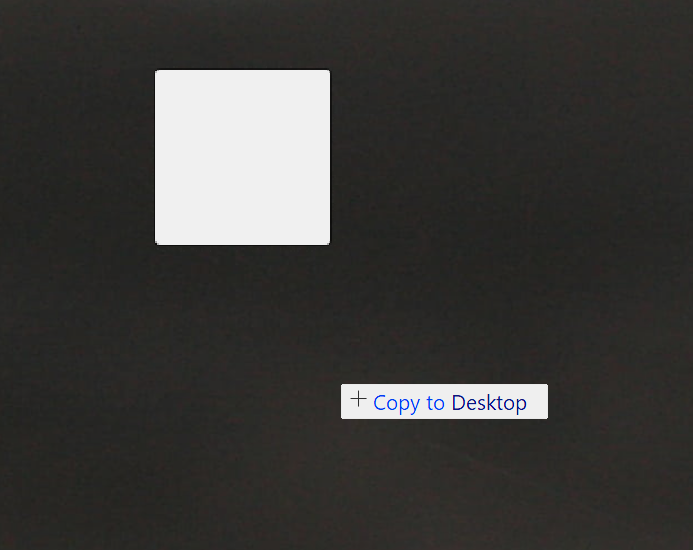
Whenever I try to drag an application icon from the Start11 start menu to the desktop, I get this blank icon. 

The thing is, it is impossible to place it on the desktop, because when I click left click mouse button once or twice, it does nothing. It keeps getting dragged with the mouse pointer. While right click brings just the submenus and icon keeps getting dragged.

Only Esc key works where I can just cancel the action


Icons and folders already on the desktop move and place without issue. Same when I try to drag icons from desktop to start menu. 


36 views 5 replies
Reply #1 Top

Hello,
Sorry to hear you are having issues. Need to know, few more things.

  1. You on Windows 10 or 11? Also need its full version and OS Build number. Use Winver.exe
  2. Start11 full version number installed.
  3. Which Start11 Start menu style in use?
  4. Any other details.

Thank you,
Basj,
Stardock Community  Assistant.

Reply #2 Top

Hello

1.Windows 11 Home  10.0.26100.8457

2. Start11 2.71

3. Now it seems to be fixed. Have no idea what caused it. Issue happened with Windows 7 style. Tried switching to Windows 11 Pro style to test it and I could copy the icons to desktop and create shortcuts. Switched back to W7 style and now it works there too. In any case, I backed the settings file. If problem persists at next reboot, I'll return with more details.


Reply #3 Top

Great, and yes, do report back if the issue reappear.

Thank you,

Basj,
Stardock Community  Assistant

Reply #4 Top

After reboot it happens again. 

Windows 7 style can not drag a start menu icon to the desktop or make a shortcut. 

Have to switch to Windows 11 Enhanced style and then back to Windows 7 style again for it to work.

Reply #5 Top

Hello,
I have forwarded your problem/question to Stardock Support Team for their assistance. Please keep an eye on this thread for any updates. We appreciate your feedback and patience. Thank you.

Basj,
Stardock Community  Assistant

+1 Loading…