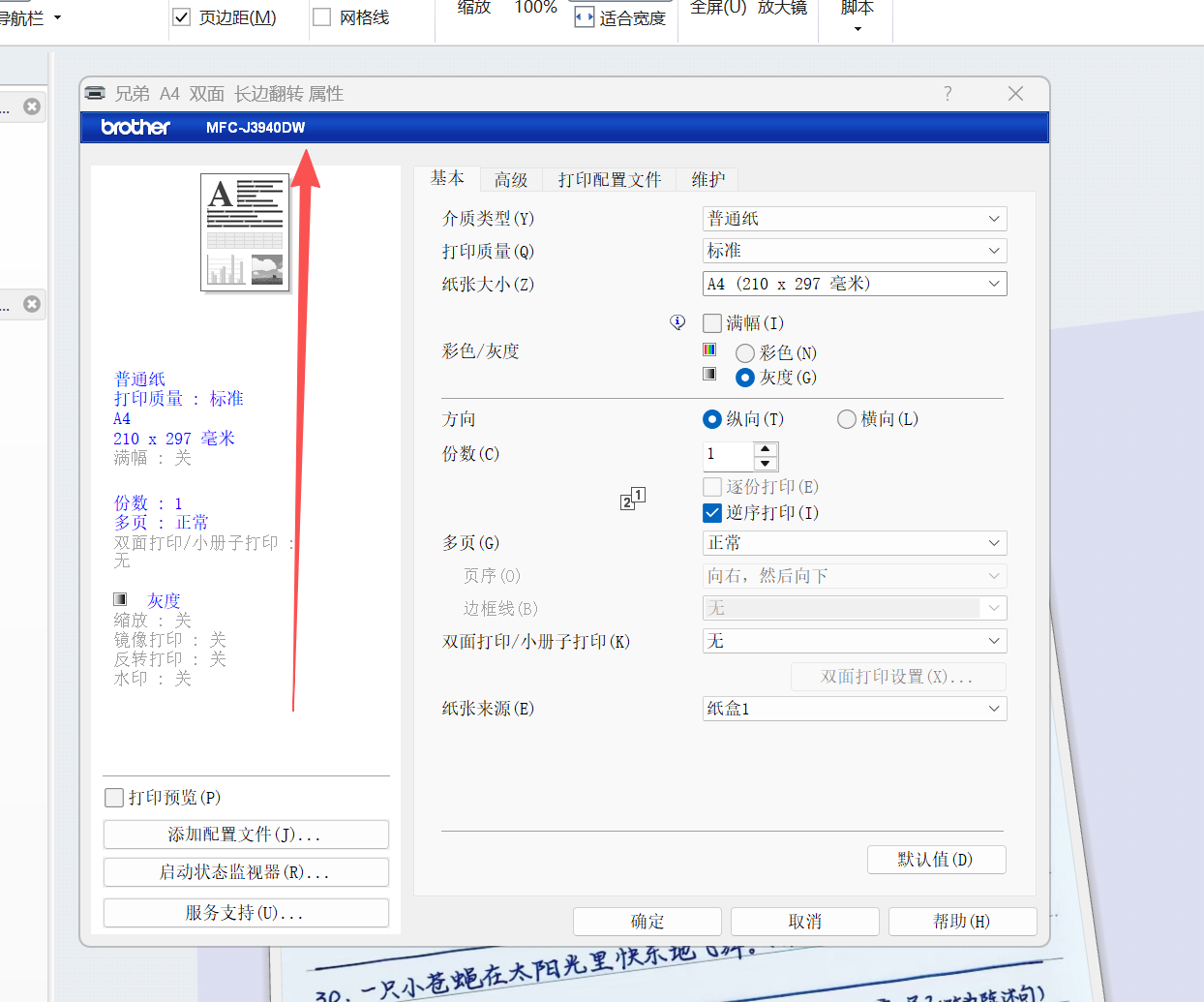
When merging windows with Groupy, the screen keeps flickering as soon as I open the settings interface of the Brother printer.

When merging windows with Groupy, the screen keeps flickering as soon as I open the settings interface of the Brother printer.

17 views 10 replies
Reply #1 Top

Hello,
Sorry to hear you are having issues. First, Please try, uninstall Groupy, reboot immediately (important), download latest version available in your account product download page: https://store.stardock.com/myaccount/products. Install it, reboot immediately again. Retest it and report back.

If the issue still appear, we need more details.

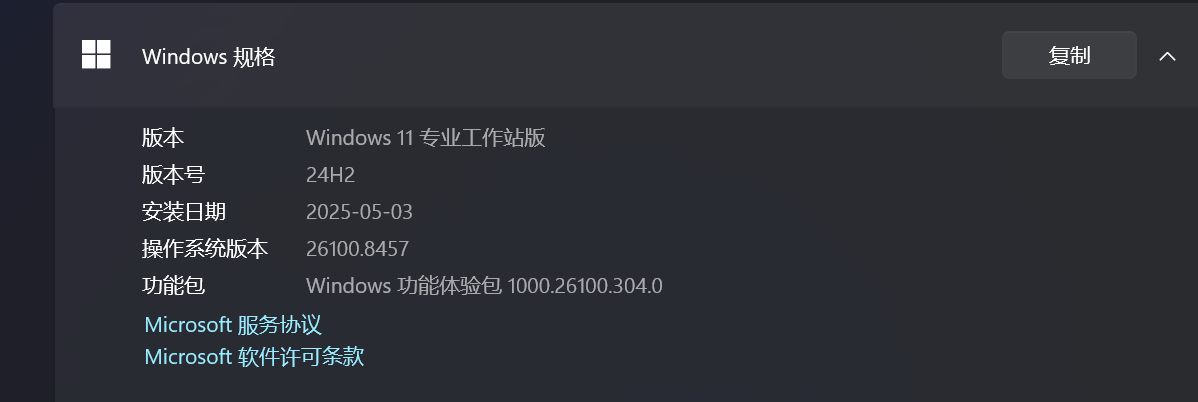
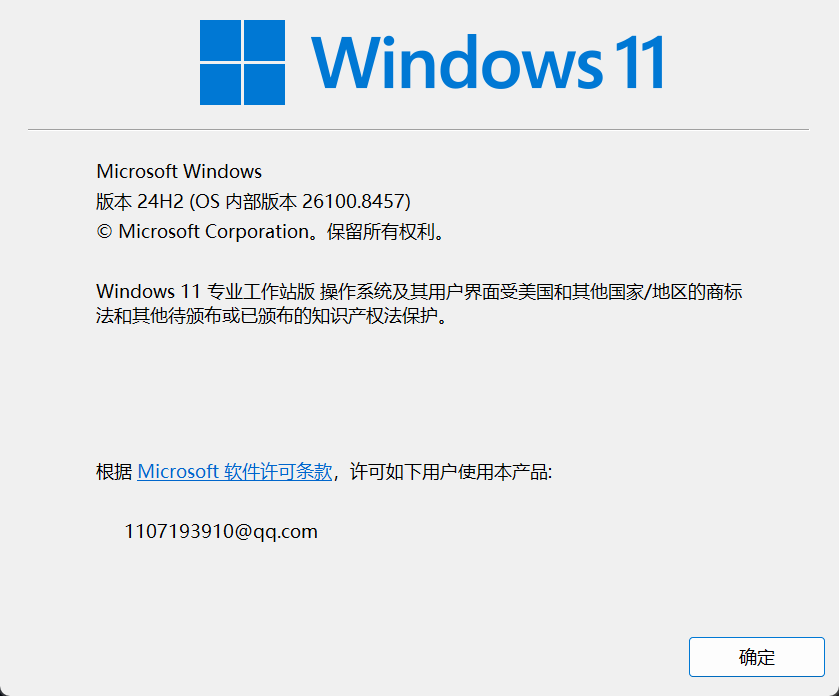
  1. Your Windows 11 full version and OS Build number. Use Winver.exe.
  2. Groupy full version numbers.
  3. Please elaborate more on your issue and what "Brother Printer" got to do with your issue.

Thank you,
Basj,
Stardock Community  Assistant.

Reply #2 Top

  I’ve tried reinstalling the system, tested it on another computer, and updated the software to the latest version, but nothing worked. It’s probably a bug in the software.

I’ve attached the driver link for the Brother printer. Could you please ask the engineer to test it? Thank you.

Reply #3 Top
I’ve tried reinstalling the system, tested it on another computer, and updated the software to the latest version, but nothing worked. It’s probably a bug in the software.

I’ve attached the driver link for the Brother printer. Could you please ask the engineer to test it? Thank you.
Reply #4 Top

Sorry, links are not allowed to be posted here. Could the engineer please download and install a driver directly from the official Brother printer website for testing? Thank you.

Reply #5 Top

Your youtube video need to be set as public for everyone to view it. Also, any special reason, you are not updating to latest Windows 11 25H2?

Thank you,

Basj,
Stardock Community  Assistant

Reply #7 Top

The video is now public on YouTube.

Does this mean the issue in my video won’t happen on Windows 11 25H2?

Thank you.

Reply #8 Top

I tried download and installing one of brother printer drivers. But, it look like it don't work. Perhaps, this is due to I don't have any Brothers printer connected to my system. However, I have forwarded your problem/question to Stardock Support Team for their assistance. Please keep an eye on this thread for any updates. We appreciate your feedback and patience. Thank you.

Basj,
Stardock Community  Assistant

Reply #9 Top

Hi Wuqiao Long,

Quoting wuqiao, reply 3993070

I’ve tried reinstalling the system, tested it on another computer, and updated the software to the latest version, but nothing worked. It’s probably a bug in the software.

End of wuqiao's quote

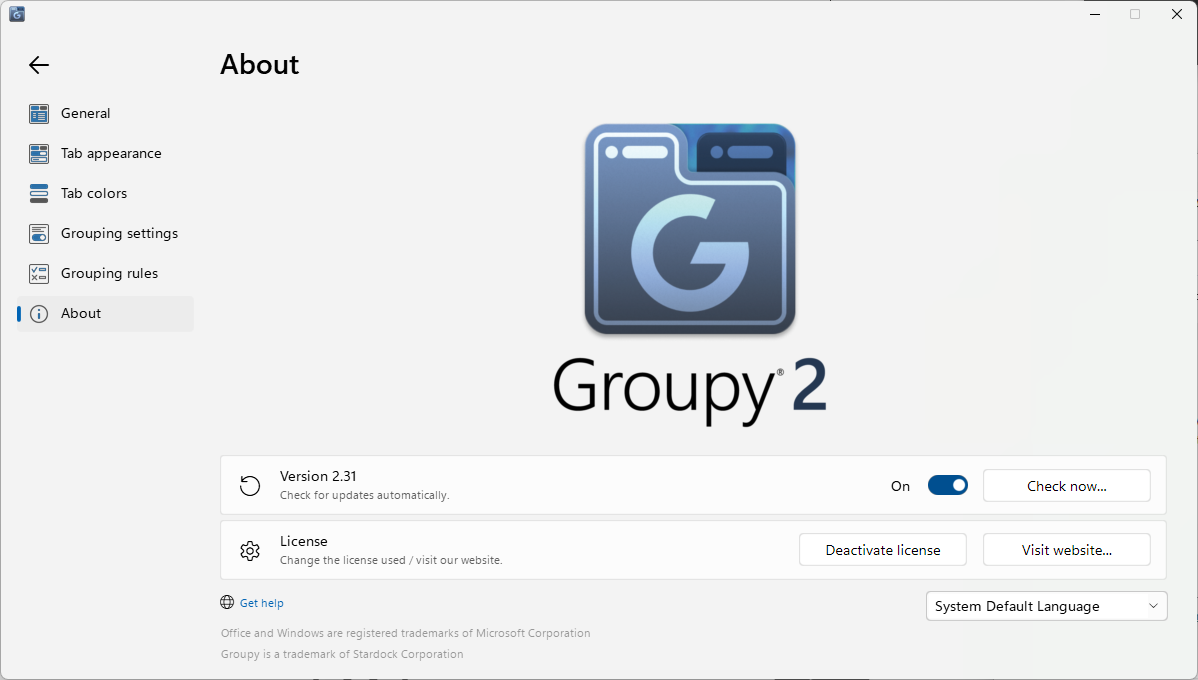
I haven't been able to reproduce this with other printers on Windows 25H2.  However, the version you showed us after reinstalling says 2.2.  It should be 2.31
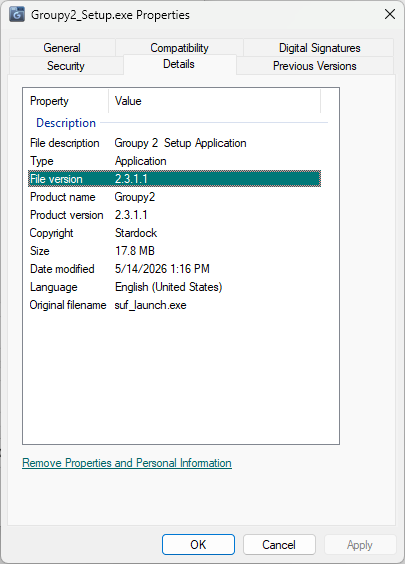
The setup you install it from will have a file version of 2.3.1.1 in Properties -> Details:
If needed, you can also get the latest version of the installer from here:

https://www.stardock.com/products/groupy/download-trial

Please also make sure you try this without changing any of the default Groupy 2 settings.  

If the issue continues to occur after updating to the latest version, and under default settings, if possible, could you tell us if it happens for any other printer/device/window you open from Word?

Best regards,

Adam McGuinness
Stardock Support Specialist

Reply #10 Top

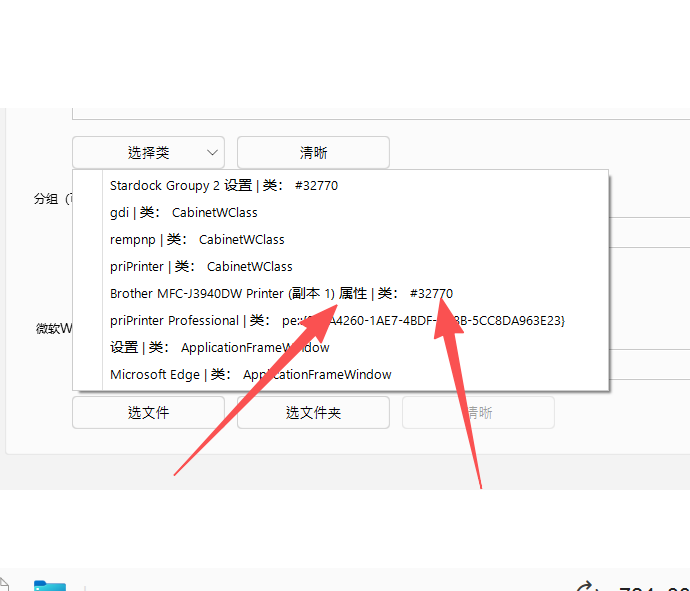
I need to stop Groupy2 from merging the print settings window with class #32770.

I tried adding the corresponding application to the exclusion list, but I cannot locate the EXE file that hosts this dialog.

Could you please guide me through the setup? Thank you!