Start 11 Taskbar Clock Missing
from  Stardock Forums
All of a sudden my clock is missing from Start 11 taskbar. Any ideas?

Thank you

 Stardock Forums
All of a sudden my clock is missing from Start 11 taskbar. Any ideas?
Thank you
What version of Windows 11 are you using?
Also what version of Start11?
Windows 11 10.0.22000 build 22000
Start 11 1.2
Having multiple issues besides clock as well.

Clock is still missing from task bar after several attempts to reinstall, reboot,etc...
Please uninstall V1.2, reboot and reinstall V1.22 Beta and see if the problem still there. Get the latest beta from your account product page.
Thank you,
Basj,
Stardock Community Assistant
Is the clock there if you uninstall Start11 and reboot without reinstalling Start11?
No go. First screen shot is after uninstalling and rebooting. The taskbar is messed up and the start menu does not even work.
The second screen shot is from installing Beta and rebooting. Still no clock.
I had mentioned in another post that the Start 11 taskbar does not revert to Windows 11 default on uninstall. This is also kind of dissapointing.


I have a feeling I know whats wrong but it isn't Start11.
It looks like you have installed another tool or changed a registry key to try to restore the Windows 10 taskbar on Windows 11. This isn't something Start11 did as it has its own taskbar replacement which does not rely on that method and never has.
Side effects of that are often a broken start menu and a missing clock.
This will continue to be broken like that without Start11 because Start11 didn't make those changes in the first place. You will need to undo whatever you did (or another app did) before Windows 11 or Start11 will work correctly.
You can tell thats the Win10 taskbar as the start button and the two icons next to it are incorrect and running apps have a long underline under them.
The only add on I have is Start 11 and Fences, I have no other theming tools at all.
Something on your computer has modified something. That is not the usual Windows 11 taskbar and Start11 isn't the cause of that.
Ok, you are right. There are plenty of articles on Windows 11 taskbar issues. Posting this here to help someone else. Apparently some Windows 11 update(s) messes with the taskbar and turns off the clock.
What is that a screenshot from exactly?
Sorry for necroing such an old thread, but I'm on Win11 Canary Insider and the clock sometimes appears but is mostly invisible. I'm using v3 already, but I'm a little disappoint now if you know what I mean.
Thank your very much and kind regards...
Edit: I'm talking about the second monitor only ofc
Sorry for necroing such an old thread, but I'm on Win11 Canary Insider and the clock sometimes appears but is mostly invisible. I'm using v3 already, but I'm a little disappoint now if you know what I mean.
Thank your very much and kind regards...
Edit: I'm talking about the second monitor only ofc
Hello,
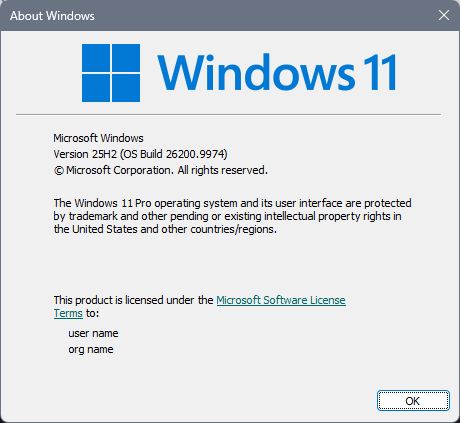
Sorry to hear you are having issues. It is best if you could tell us, your full Windows 11 version and OS Build number. Also, you're using which version of Start11? Need to know its full version number please.
Thank you,
Basj,
Stardock Community Assistant.
The version number of start11 v3 is 3.0 BETA 2 and I'm flighting on 29704 build of Win 11 Pro Insider Canary.
Thank you very much.
Thank you,
Basj,
Stardock Community Assistant
It's rather pointless if you don't know about insider program. There's an update in queue but I believe it won't fix the issue... Sorry.
Basj,
Stardock Community Assistant
Welcome Guest! Please take the time to register with us.
Select a reason for giving karma:
You're about to visit an external site:
Sign up here to get the latest news, updates, and special offers delivered directly to your inbox.