Oops, JU Avatar Question

Last night I wanted to change my avatar.  So I deleted the old one, trying to upload the new.  It didn't work.  When I click on upload, nothing happens.


So I went to Karma's site problems article and there was an answer.


Adobe Flash 10 has issues?  So it must be done under Flash 9.  Ok. 


I removed Flash 10 from my computer, and then tried to download flash 9, but for some reason it's just not working.  I get the installation complete message from flash 9, but when I go back to JU to try to upload, it tells me I don't have a flash high enough.


Any ideas?


192,762 views 31 replies
Reply #1 Top

I can't load an avatar either.

Reply #2 Top

I couldn't set it up in Firefox.  I had to try it in IE8 beta.  It worked there.  As a side note, it's likely that I have different versions of Flash in the two browsers (and likely IE 8 had the older version, because I don't use it).


+1 Loading…
Reply #3 Top

yeah, I had to uninstall flash 10 and then use IE.    Firefox or chrome still didn't work.   (start/run "iexplore" is the way to go)

+1 Loading…
Reply #4 Top

it wasnt working with flash player 10 i needed to uninstall and download from filehippo the fp9 and then it worked i could upload image

+1 Loading…
Reply #5 Top

it wasnt working with flash player 10 i needed to uninstall and download from filehippo the fp9 and then it worked i could upload image

I'm not finding it on that site now....

Reply #6 Top

yeah, I had to uninstall flash 10 and then use IE.

I'm going to uninstall 10 again (I reloaded it last night when I couldn't get 9 to work).

Is there a good site that has an easy installation?  Because the 9 version I have now just breaks into files when I click on it...like I am supposed to know which one installs?

hahaha...

Reply #7 Top

http://www.filehippo.com/download_flashplayer_firefox/4008/

i downloaded that version and it worked fine with firefox.


i can see my image now but i cant see it at my older posts before i upload

+1 Loading…
Reply #8 Top

i can see my image now but i cant see it at my older posts before i upload

That is a different story entirely. And that is also universal to matter what version of flash you have.

Reply #9 Top

Quoting landisaurus, reply 8

i can see my image now but i cant see it at my older posts before i upload
That is a different story entirely. And that is also universal to matter what version of flash you have.

In other words: That's a forum software bug and you can't fix it.

:)

Reply #10 Top

 Only on JU can I not load an avatar... :-|

Reply #11 Top

downloaded that version and it worked fine with firefox.

I have IE not firefox....got any links for that?


Reply #12 Top

yeah, I had to uninstall flash 10 and then use IE. Firefox or chrome still didn't work. (start/run "iexplore" is the way to go)

Love the circle avatar...how'd you do it?

Reply #13 Top

Quoting Tova7, reply 12
Love the circle avatar...how'd you do it?

Use transparency for the area around the picture you don't want to show.

+1 Loading…
Reply #15 Top

most are not used by anybody else yet if you want a unique one.

Those are sweet, but I have a pic I really want to use. 

Oh well.

Use transparency for the area around the picture you don't want to show.

haha...um, ok but that's greek to me.  What program?


Reply #16 Top

For a temp fix, you can upload an avatar via the WinCustomize (or any of the game forums), and that will change it.


+1 Loading…
Reply #17 Top

For a temp fix, you can upload an avatar via the WinCustomize (or any of the game forums), and that will change it.

Ok thanks!  I'll try it!


Reply #18 Top

Ok Roy..goto wincustomize.com, sign in with your JUer info...click on "settings" in right hand corner by your name, then images, and upload!  WOOT!

Thanks Island Dog...you DA MAN!

Reply #19 Top

Quoting Tova7, reply 15


Use transparency for the area around the picture you don't want to show.


haha...um, ok but that's greek to me.  What program?


Use the 'Eclipse' marquee tool in Photoshop, on a transparent b/ground, and fill it with what you want.. blend in an image.. or whatever. :)

+1 Loading…
Reply #20 Top

http://www.filehippo.com/download_flashplayer_firefox/4008/

i downloaded that version and it worked fine with firefox.

WOrked for me to! :) Thanks!

+1 Loading…
Reply #21 Top

haha...um, ok but that's greek to me. What program?

anything that supports transparecies or layers (photoshop and gimp are the 1st two that come to mind) then save as a '.png' file.

+1 Loading…
Reply #22 Top

Uhmm, I still don't see your avatar, Tova.

That's weird, I see it! hahah

Well, not on this post though...doesn't matter anyhow...the avatar I picked sucks...it looks FABULOUS on my desktop, but shrunk down, not so much.

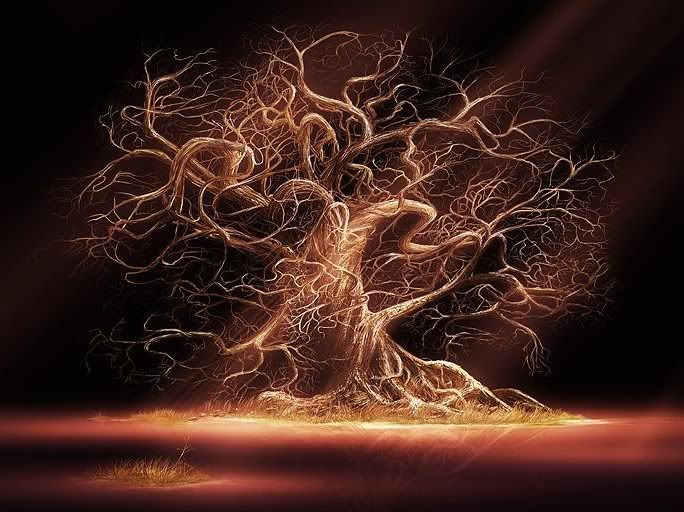
It supposed to look like this.

Reply #23 Top

there it is!    though, its still 50x50 when it could be bigger (up to 100x100)

Reply #24 Top

Ooohh, that's way cool, Tova. Who's the artist? It reminds me of Yggdrasil.

It's called ..The Secret, but I can't read the artist's name at the bottom...too small on my desktop and I can't remember where I found it.  I love trees, and this one has it all...motion, still-ness, character, familiarity, light, shadow, death, life....hahaha..if I was a tree, I'd want to be this one.

though, its still 50x50 when it could be bigger (up to 100x100)

I tried to put it in 100 but it wouldn't take it..I'll try again.


Reply #25 Top

I tried to put it in 100 but it wouldn't take it..I'll try again.

make it 99x99 if it is throwing a fit.  could be a header error on the file or something like that to make it think it is a 101x101 file.  I've had that problem with jpegs before (I use a PNG for my avatar which doesn't seem to have that problem)

+1 Loading…